How to Use the New STIIIZY X: A Complete Beginner’s Guide
The STIIIZY X is the newest and most advanced device in the STIIIZY All In One lineup. It’s a postless all-in-one vape that uses a single button to control power settings and preheat, with an LED screen that shows you exactly what the device is doing. If you’re used to simple inhale-activated vapes, the STIIIZY X may look a little different at first. The good news is that it’s easy to learn. This guide walks you through everything you need to know, from choosing a power setting to charging the battery.
What Makes the STIIIZY X Different?
Most all-in-one vapes give you one fixed setting. The STIIIZY X gives you control. Here’s what you’ll find on the device:
- Postless design: There’s no center post inside, which helps create smoother airflow and consistent hits.
- Single button: One button handles your power settings and preheat.
- LED screen: Displays your battery level, current setting and preheat status.
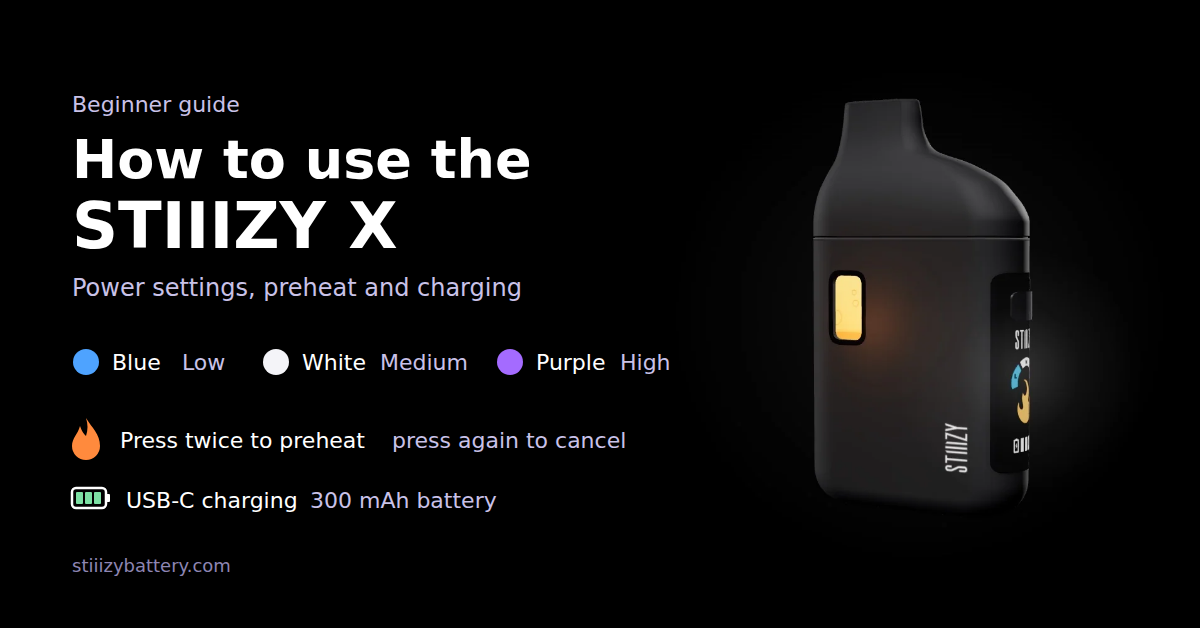
- Three power levels: Low, Medium and High, each shown by a different color.
- Type-C charging: A 300 mAh rechargeable battery keeps you going until the oil runs out.
Step 1: Get to Know the Power Settings
The STIIIZY X uses colors to show which power level you’re on. Use the single button to switch between them:
- Blue (Low): A smooth, mellow draw that works well for everyday use and for anyone new to vaping.
- White (Medium): Balanced vapor and flavor with full power. This is a good middle ground for most people.
- Purple (High): The strongest output and the most vapor.
Tip: Start on Blue (Low) and work your way up. Lower settings help bring out more flavor from the terpenes, especially with Liquid Diamonds strains, while higher settings produce bigger clouds. If a hit feels harsh, drop down a level.
Step 2: Use the Preheat Function
[Image 3: Preheat indicator]
Suggested image: Close-up of the LED screen with the orange flame indicator glowing.
File name: stiiizy-x-preheat-flame-indicator.webp
Alt text: STIIIZY X preheat flame indicator glowing orange
Cannabis oil can thicken when it’s cold, which can make the first hit feel weak or clogged. Preheat gently warms the oil so it flows more easily.
- To start preheat: Press the button twice quickly. The flame indicator on the screen will glow orange while the device warms the oil.
- To cancel preheat: Press the button again to stop the cycle at any time.
When to use preheat: Use it when your STIIIZY X has been in a cold car, outside in winter, or unused for a while. It’s also helpful with thicker oils like live resin and Liquid Diamonds.
Step 3: Take Your First Hit
Once you’ve picked a setting (and preheated if needed), take a slow, steady draw. Short, gentle pulls work better than one long, hard pull, which can overheat the oil and taste burnt. Wait a few minutes after your first hit to see how you feel before taking more, especially if you’re trying a new strain or using the High setting.
Step 4: Charge Your STIIIZY X
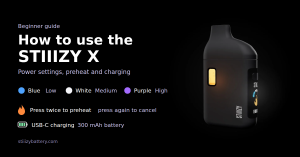
The STIIIZY X has a built-in 300 mAh battery that charges through a Type-C port. Here’s how to charge it:
- Plug a standard USB-C cable into the charging port on the device.
- Connect the other end to a USB power source, such as a wall adapter or computer.
- Watch the LED screen. The battery bars fill up as the device charges.
- Unplug it once the bars are full.
Because the battery is rechargeable, you never have to throw away a device with oil still inside. Charge it whenever the battery runs low, and you’ll be able to finish every last drop.
Tips to Get the Most From Your STIIIZY X
- Store it upright and away from heat and direct sunlight.
- Don’t leave it charging for long periods after it’s full.
- Use Low or Medium settings for the best flavor and to make your oil last longer.
- Use preheat in cold weather instead of pulling harder.
- Dispose of empty devices according to your local e-waste rules.
STIIIZY X vs. Other STIIIZY Devices
The STIIIZY X brings settings and preheat to the all-in-one format. If you prefer something simpler, the classic STIIIZY All In One models are inhale-activated with no buttons to learn. If you like switching strains often, consider a pod setup instead. The STIIIZY Pro and STIIIZY Pro XL batteries offer similar power control and preheat with refillable STIIIZY THC pods.
STIIIZY X FAQs
What do the colors on the STIIIZY X mean?
Blue is Low, White is Medium and Purple is High.
How do I preheat my STIIIZY X?
Press the button twice quickly. The flame indicator glows orange while it warms up. Press again to cancel.
How do I know when my STIIIZY X is charged?
The battery bars on the LED screen fill up as it charges. When they’re full, unplug it.
What size is the STIIIZY X battery?
It has a 300 mAh rechargeable battery with Type-C charging.
Can I refill the STIIIZY X?
No. It’s an all-in-one device. Once the oil runs out, dispose of it and get a new one.
Ready to Try the STIIIZY X?
Now that you know how to use it, you’re ready to enjoy everything the STIIIZY X has to offer. Shop the STIIIZY X collection or contact us if you have any questions.